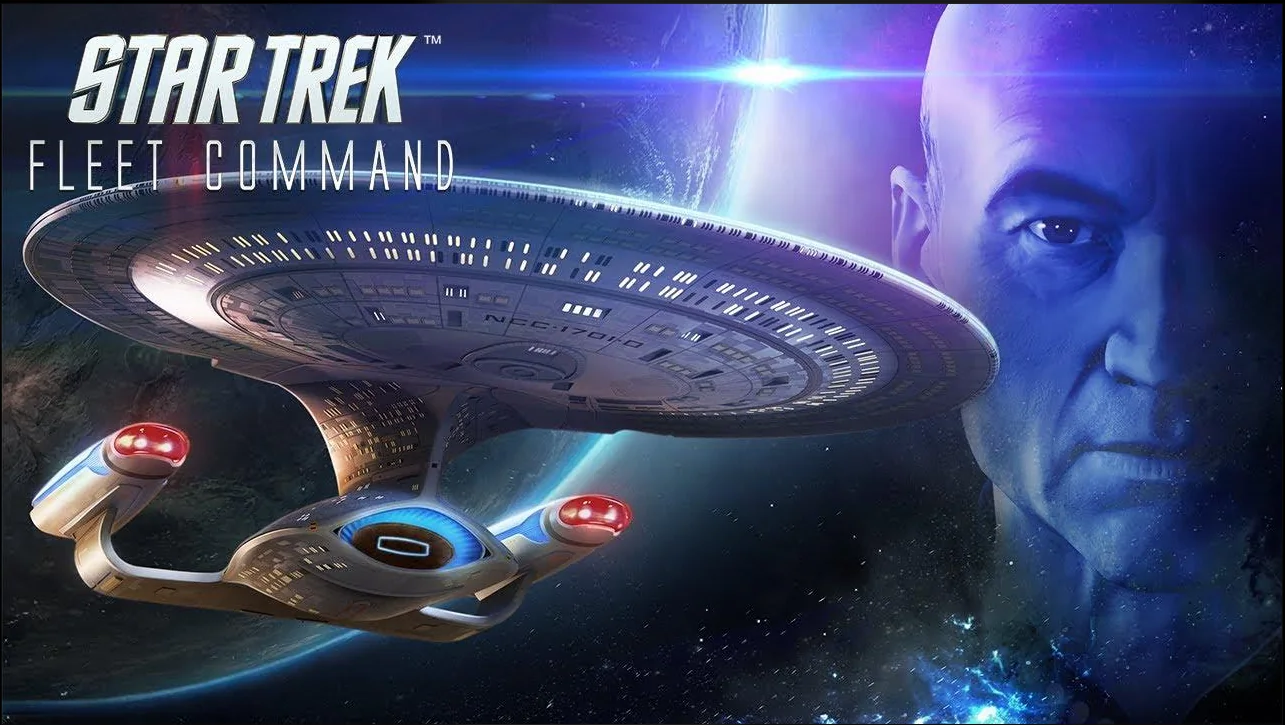
A starbase on the frontier. A ship waiting at the drydock. A galaxy where your next decision might mean a useful discovery, a stronger crew, or an encounter you should have scanned more carefully. Star Trek Fleet Command puts that command fantasy into a persistent strategy game you can return to over time.
For anyone researching Star Trek Fleet Command PC, the attraction is the combination: recognizable Star Trek characters, fleet development, exploration, and other commanders sharing the map. Official Windows and Mac clients are available, but each platform has its own setup process. Here is what to expect before you commit your time—or your money.
Your First Command Starts Here
Explore the game at your own pace. Free to play, with optional in-game purchases.
Play Star Trek Fleet Command for FreeWhat Is Star Trek Fleet Command?
Star Trek Fleet Command is Scopely's science-fiction MMO strategy game. The publisher describes it as a 4X MMO: a format built around developing your position in a shared world. Your responsibilities extend from maintaining a starbase to assembling crews and sending ships into the galaxy. Get a closer look at Star Trek Fleet Command before taking command.
The appeal is a continuing command project. Instead of finishing a single mission and leaving everything behind, you improve the operation that supports your next objective. For players who enjoy planning and returning to an evolving collection, that continuity can be compelling. It also makes Fleet Command a different commitment from a self-contained campaign.
Explore the Star Trek Universe
In Star Trek Fleet Command, a galaxy of star systems, recognizable ships, and competing interests awaits. Exploration gives that setting a practical purpose: finding objectives, reaching resources, and deciding where your fleet belongs next. Federation, Klingon, and Romulan influences help turn a map of destinations into a recognizable Star Trek frontier.
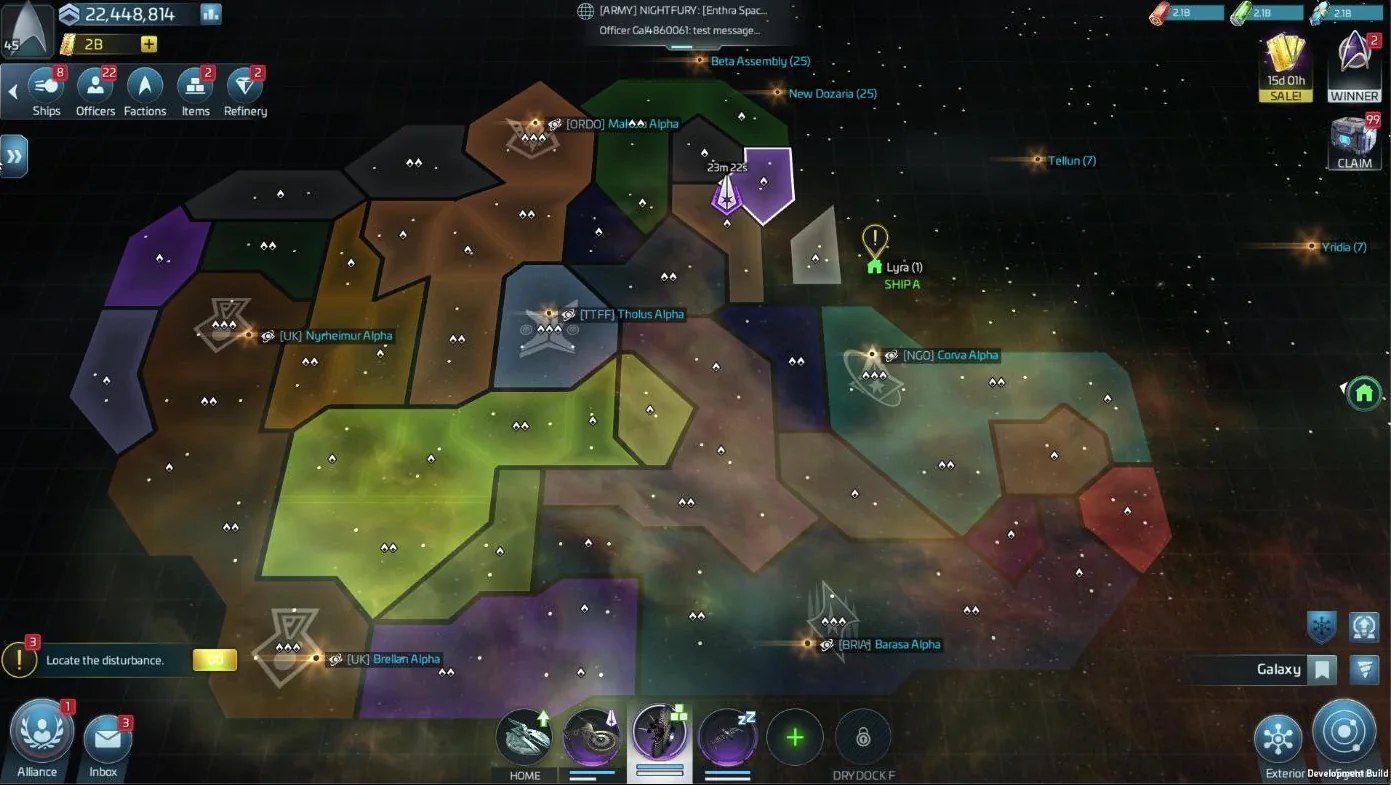
The official store description places the original storyline in the Kelvin Timeline, while today's game materials feature ships and characters from across Star Trek. That gives longtime fans familiar reference points without requiring newcomers to know every series.
Treat exploration as preparation rather than a race. Check what a trip requires, what the destination offers, and whether your current fleet is ready. The satisfaction comes from making a plan and gradually extending its reach. This is a strategy view of space exploration, rather than a promise of freely piloting a starship or landing on every planet.
Build and Command Your Ultimate Fleet
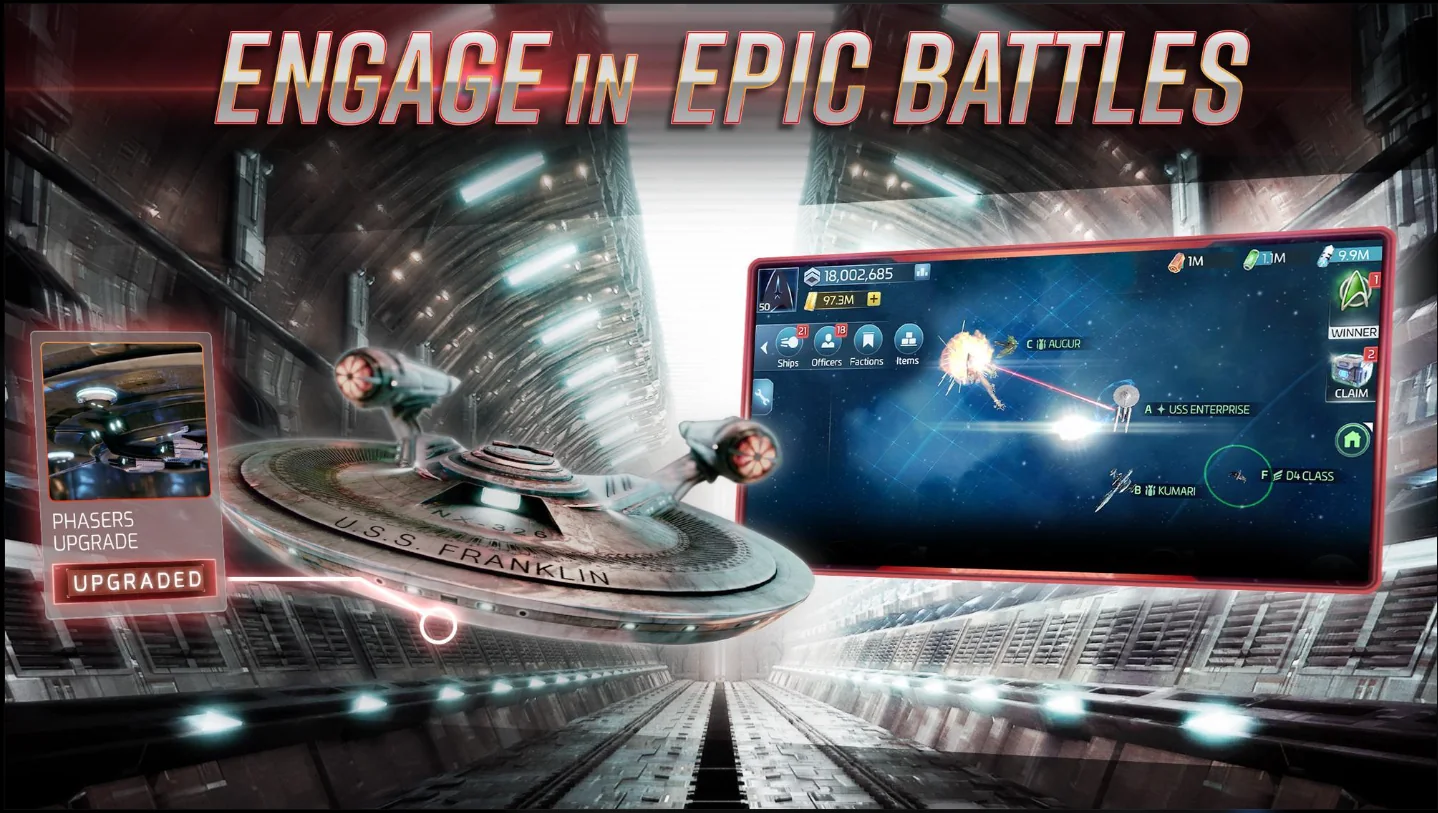
In Star Trek Fleet Command, blueprints are the starting point for ship construction. Some vessels also require research or a particular Shipyard level. Ship development therefore rewards understanding prerequisites before spending resources.
Different ship types serve different purposes. Survey ships specialize in mining and carrying resources, while combat classes have strengths and weaknesses. Upgrading a useful vessel can be more valuable than collecting another hull without a clear role. That is a planning recommendation, not a universal build order.
Customization gives you another reason to explore the game. Refits include ship skins and projectiles, and some provide gameplay bonuses as well as visual changes. Check each description and unlock condition; cosmetic appearance alone does not tell you what a particular refit does.
Recruit Legendary Star Trek Officers
Kirk, Spock, and Nero are among the characters highlighted by Scopely. The strategic interest goes beyond recognition: officers influence how a ship performs, and choosing a crew gives a familiar vessel a more specific purpose.
The officer system in Star Trek Fleet Command distinguishes Captain's Maneuvers, bridge abilities, and Below Deck abilities. Placement matters, and compatible officers can improve the captain's ability through synergy. Recruiting a recognizable character is only the beginning of learning how to use that officer effectively.
For a beginner, read the actual ability conditions before investing. Build around an activity you understand, then expand your roster as new tasks demand it. A crew that supports your current objective is easier to evaluate than a list copied without context.
Choose Your Strategy and Dominate the Galaxy
Your station is the foundation behind the fleet. When you play Star Trek Fleet Command, Operations, the Academy, research facilities, resource storage, defenses, and drydocks support that foundation. Upgrading Operations unlocks further development; research and supporting buildings help turn those opportunities into usable strength.
That creates meaningful choices about what to develop next. Fleet Command's gameplay combines resource management and preparation with space combat, rather than relying on reflexes alone. Scan opponents and compare ship roles before committing. A larger-looking fleet is not a substitute for understanding the encounter.
Approach the Federation, Klingon, and Romulan factions as long-term interests to investigate. Their ships and officers give you different goals to work toward. Avoid choosing your entire progression path solely because one late-game ship looks impressive.
Join Alliances and Compete with Other Players
Other commanders are part of the attraction—and part of the pressure. Alliances introduce a social reason to return, whether you enjoy discussing plans, coordinating activities, or finding a group that understands your preferred pace.
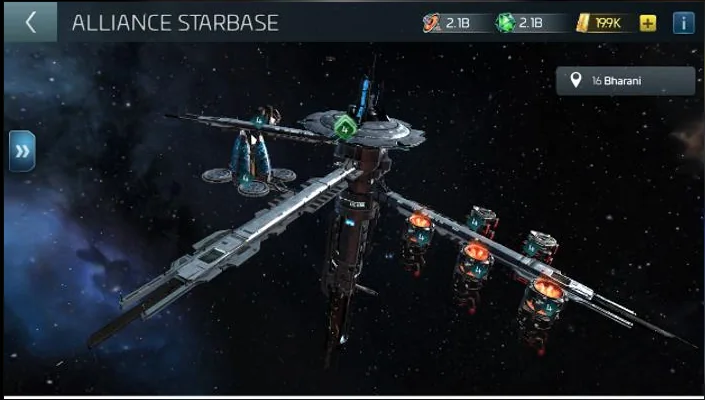
Organized competition is another part of Star Trek Fleet Command. In Territory Capture, alliances contest zones during scheduled takeover windows, with benefits tied to ownership. Access requirements apply, so this should be treated as a progression goal rather than an immediate starting activity.
Look for an alliance whose expectations fit your schedule. A relaxed player and a highly competitive group can both have reasonable goals while being a poor match for each other. Ask about participation before making commitments.
Find Your Place in the Fleet
Choose the desktop version that matches your computer before beginning your journey.
Get Star Trek Fleet CommandWhy Play Star Trek Fleet Command on PC or Mac?
A larger display can make a busy map and long descriptions more comfortable to read. A desktop workspace can also suit players who prefer reviewing objectives and planning a session at a desk. These are practical preferences, not benchmark results or a guarantee that every computer runs the game better than a phone.
Cross-platform progress is another reason to explore Star Trek Fleet Command on desktop. Scopely explains how to access saved progress using the same Scopely Account credentials. Existing players should secure their current account before switching devices.
If you enjoy planning your next move, take a closer look at the game and decide whether its strategic pace matches your preferred style of science-fiction adventure.
Star Trek Fleet Command System Requirements
Before you play Star Trek Fleet Command, check Scopely's current minimum specifications. As checked on November 4, 2026, its support page lists these desktop operating-system requirements:
| Platform | Current official OS requirement | Important qualification |
|---|---|---|
| Windows | Windows 10 version 21H1 or newer | The separate Unity update notice distinguishes x64 and Arm64 systems. |
| Mac | macOS Big Sur 11 or later | Scopely announces that Intel-based Macs will lose support in 2027. |
Scopely's Unity update notice specifies Windows 10 21H1/build 19043 or newer for x64, and Windows 11 21H2/build 22000 or newer for Arm64. Review your setup before you get started.
The current specifications page does not provide a complete CPU, RAM, GPU, or storage table. Older support results contain hardware figures, but they should not be presented as current recommendations. Meeting an OS requirement alone does not guarantee satisfactory performance. Intel Mac owners should review the announced support change before investing in long-term progression.
How to Get Star Trek Fleet Command on Windows
- Get Star Trek Fleet Command through the offer link. Check the destination's available platform options before continuing.
- For Windows, the official desktop client uses a
.exesetup file provided through Xsolla's launcher infrastructure. - Get and open the file, then follow the publisher's setup prompts. Avoid files from unknown sources.
- Existing players should sign in with the Scopely Account already linked to their progress.
- New players can follow the tutorial, then save their game through Settings > General, as directed by Scopely.
You can get Star Trek Fleet Command for free without an upfront game purchase. Paid items are not included simply because the client is free.
How to Play Star Trek Fleet Command on Mac
macOS has its own version of the game. Use the Mac option rather than a Windows .exe file, and do not assume an emulator is required.
- Visit the official website and choose Mac OS.
- Get the Mac
.dmgdisk image from that link. At checking, it is hosted on Scopely's desktop-launcher update storage, separately from the Windows setup file. - Open the disk image and follow the setup prompts. Keep the game in Applications, as Scopely requires.
- Open the app and use your existing Scopely Account, or complete the new-player tutorial and save your progress.
If you cannot get the game running, follow Scopely's support instructions. Never bypass macOS security protections or get replacement setup files from unknown sites. Remember the 2027 Intel Mac support notice when evaluating compatibility.
Is Star Trek Fleet Command Free to Play?
Yes, you can play Star Trek Fleet Command for free, and the game includes in-game purchases. Scopely's official mobile store listing confirms this business model; it is separate from the way to get the Mac version described above.
Start by learning the loop without spending. Decide whether you enjoy fleet development and recurring objectives before considering purchases. Set a budget based on your entertainment priorities, and read the contents and conditions of any offer in the game. Free entry should never be confused with equal progression speed, guaranteed competitive results, or an obligation to buy.
Is Star Trek Fleet Command Worth Playing?
Fleet Command is worth considering if you like Star Trek, enjoy building a continuing operation, and want a social strategy game with several interlocking systems. Ships, officers, research, and station development give you different projects to pursue. Finding a compatible alliance can add a sense of shared purpose.
The same structure creates limitations. There is a learning curve, progression takes sustained attention, and purchases are part of the experience. Competitive objectives and scheduled activities may not suit a player looking for a short, pressure-free campaign. Mac compatibility also deserves attention rather than an automatic assumption.
This is a research-based assessment, not a hands-on performance test. Try the early experience, judge its pacing, and decide whether planning your next session feels enjoyable. If that command fantasy appeals to you, explore Star Trek Fleet Command at your own pace.
Frequently Asked Questions
Can I play Star Trek Fleet Command on PC?
Yes. An official Windows client is available through the game's website. Select Windows OS and review Scopely's current compatibility guidance first.
Is Star Trek Fleet Command available on Mac?
Yes. The official site provides a separate Mac disk image. Keep the app in Applications and check the notice ending Intel Mac support in 2027.
Can I get Star Trek Fleet Command for free?
Yes, the game has a free-to-play model with optional purchases. Getting started for free does not include every ship, officer, or paid item.
Can I keep my mobile progress on a computer?
Scopely supports accessing saved progress with the same linked Scopely Account. Secure the existing account before signing in on your computer.
Do I need an emulator on Windows or Mac?
The official desktop clients provide a direct way to play. Choose the version for your operating system rather than treating an emulator as a requirement.
What should a beginner focus on first?
Finish the tutorial, save your account, and learn your station and ship roles. Understand one useful crew before spreading resources across unfamiliar upgrades.
Can I start on PC without first playing on a phone?
Yes. Scopely describes starting directly on desktop: get the client, complete the tutorial, and then save your progress with a Scopely Account in Settings > General.
Final Verdict — Start Your Galactic Adventure
Star Trek Fleet Command offers a tempting command fantasy: a station to develop, a fleet to shape, and a shared galaxy that gives your plans context. Its strongest fit is the player who enjoys steady development and strategic decisions rather than expecting an instant collection of famous ships.
Check your system, use the correct desktop route, and begin with curiosity instead of a spending target. If the early missions make you want to plan the next expedition, you have a good reason to keep exploring.
Take the Conn
Build your first plan, discover the galaxy, and decide whether this is your next long-term strategy game.
Start Your Galactic Adventure