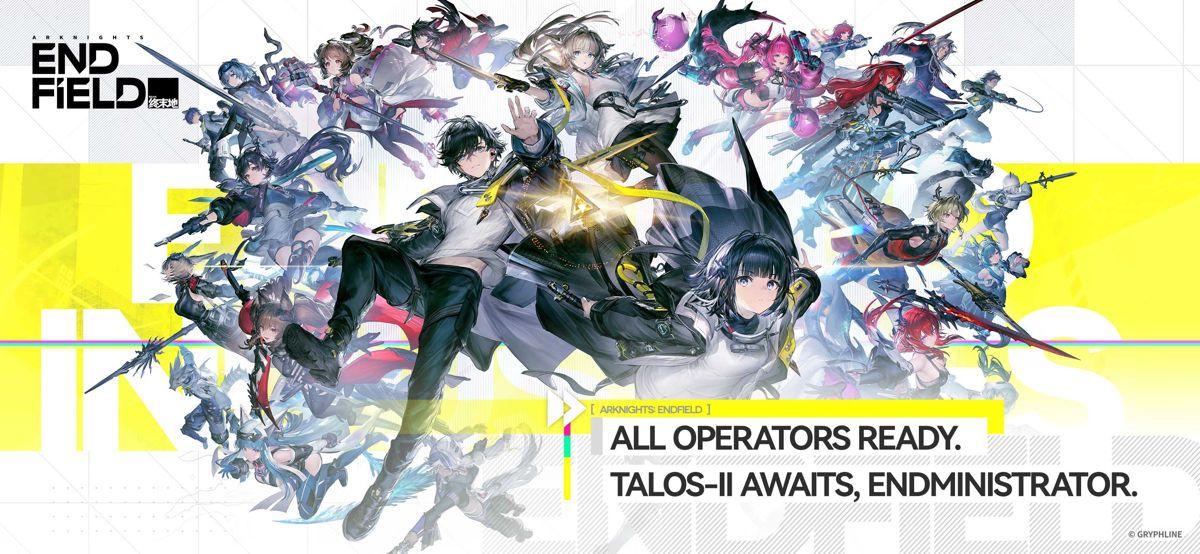
Arknights: Endfield brings an unusual mix to PC: a real-time action RPG where a squad can turn a tense fight into a planned combo, while an Automated Industry Complex keeps a growing operation moving behind the scenes. If you enjoy science-fiction worlds that reward both hands-on combat and deliberate planning, Talos-II gives you room to explore without asking you to choose between those two moods.
On Steam, Endfield is free to play and built around the role of the Endministrator, the leader of Endfield Industries. Your job is not simply to cross a map and clear encounters. You are helping push a new frontier outward: meeting operators, responding to threats, developing regions, and building production lines that support the next expedition. This guide explains what is confirmed for the Windows PC version, what to check before installing, and how to take your first steps with a clear plan.
This article may contain affiliate links. We may earn a commission if you take action through these links, at no additional cost to you.
Explore Arknights: Endfield on PC
Check the current Endfield offer and confirm the platform, account, and terms that apply to your setup before you continue.
EXPLORE ENDFIELDWhat Is Arknights: Endfield?
Arknights: Endfield is a 3D real-time strategy RPG developed by Hypergryph and published by GRYPHLINE. Its Steam page describes a journey on Talos-II, a world where settlements have endured disasters and conflict but where vast, unsettled territory still lies beyond established civilization. You play as the Endministrator of Endfield Industries, waking with a mission that is clearer than your memories and working with operators to build a new home.
That setup matters because Endfield's progression is tied to more than character encounters. Exploration, resource production, regional development, and team combat all sit in the same loop. The game can appeal to players who like an anime-inspired action RPG but want a stronger sense that their choices are improving a larger operation over time.
For a PC-first starting point, Steam is the clearest place to check live availability, supported languages, the current system requirements, and the store's notices about account linking and in-game purchases. The game requires a GRYPHLINE account on Steam, but Steam supports linking that account so existing progress can continue on the same server.
Explore a Mysterious Sci-Fi World
Talos-II is not presented as a finished, comfortable setting. Official descriptions emphasize wildlands, high ranges, waterways, old dangers, and territory that still needs to be understood. As the Endministrator, you explore regions, deal with threats such as Ankhor and the Blight, and continue construction that helps bring each area into a more stable state.

Follow the tutorial path and early objectives first. Learning how one region connects to your AIC Factory makes the larger loop much easier to read than trying to chase every map marker at once.
Experience Strategic Real-Time Combat
Combat is real time, but it is not just about pressing a basic attack as quickly as possible. The official Steam description says you lead a team, move them freely, and chain their skills to break enemy defenses. Positioning, target selection, team timing, and knowing when to use a skill can all matter when a fight becomes busy.
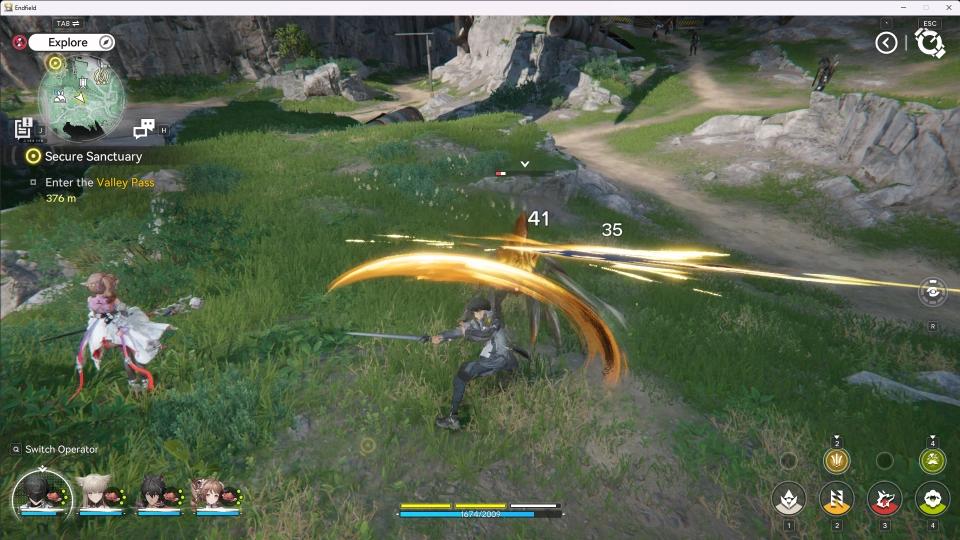
The current official version notes also describe targeting improvements and settings for the trigger order of simultaneous combo skills. That is useful context for PC players: the combat system is designed around a squad, so getting comfortable with the camera, lock-on behavior, and team screen is likely more valuable than rushing through the first encounters.
Practice a small number of actions deliberately: learn your operator's movement, identify combo triggers, and watch how enemies group. That is more useful than optimizing gear before you understand the basic rhythm.
Discover Arknights: Endfield
See the current PC offer, then choose the route that matches your account and Windows setup.
DISCOVER ENDFIELDBuild, Manage and Expand Your Operations
Endfield's Automated Industry Complex, or AIC Factory, is the feature that gives its exploration a different texture from a standard action RPG. Official materials describe facilities that can produce gear, explosives, batteries, tactical items, and other materials through automated production lines. You can work from existing layouts or build your own more efficient routes.
This is not a background menu you can ignore forever. Factory output is described as supporting both exploration and battle, which makes planning production part of preparing for the next region. Recent official updates have also added quality-of-life improvements to facility placement, farming, and delivery jobs. The broad lesson is simple: a clear, modest line that produces what you need is more useful than a huge layout you cannot maintain.
Start small, give each material route a purpose, and refine it once you know which supplies you use most. That keeps the management side satisfying instead of overwhelming.
Meet the Characters of Arknights: Endfield
Operators are not just faces for the story. They join your journey across Talos-II and participate in your squad and broader operation. The official site presents operators across several classes and elements, while the Steam page frames them as companions who help build a new home for humanity.

For a first team, prioritize understanding roles over chasing a perfect lineup. Look at how an operator supports your preferred combat style, whether their skills fit the rest of the squad, and how comfortable their timing feels in real encounters. Endfield's team combat is built around coordination, so a group you can operate confidently is a better starting point than a theoretical setup copied without context.
Arknights: Endfield PC Features
The Steam version is available for Windows PC and is free to play. Steam lists English interface, full audio, and subtitles, along with additional interface and subtitle languages. It also lists partial controller support, Family Sharing, and in-app purchases.
The Steam version requires a GRYPHLINE account, with support for linking it to Steam. GRYPHLINE says progress can continue across supported platforms with the same linked account and server; Asia and Americas/Europe data remain separate. Steam also lists ACE kernel-level anti-cheat and notes manual removal after uninstall.
For updates, use the Steam client for the Steam version. GRYPHLINE's official FAQ says the Steam client cannot be downloaded or updated through the GRYPHLINK launcher. Keeping the launcher route and Steam route distinct will save confusion later.
Arknights: Endfield PC System Requirements
The table below reflects the current requirements listed on the Steam store page for the Windows version. Requirements can change with client updates, so check the live listing before you install.
| Component | Minimum | Recommended |
|---|---|---|
| Operating system | Windows 10 64-bit | Windows 10 64-bit |
| Processor | Intel Core i5-9400F | Intel Core i7-10700K |
| Memory | 16 GB RAM | 16 GB RAM |
| Graphics | NVIDIA GeForce GTX 1060 | NVIDIA GeForce RTX 2060 |
| DirectX | Version 11 | Version 11 |
| Network | Broadband internet connection | Broadband internet connection |
| Storage | 60 GB available space | 60 GB available space |
Steam requires a 64-bit processor and operating system. If you are close to the minimum GPU tier, begin with conservative graphics settings and update your graphics driver before troubleshooting in-game options. The official Endfield download notice also recommends installing on an SSD and describes additional temporary extraction space for its PC client, so leave extra room beyond the store-page minimum when possible.
How to Get Arknights: Endfield on Windows PC
- Open the official Arknights: Endfield page on Steam and confirm that the listing is available in your region.
- Select Play Game to add the free-to-play title to your Steam library, then install it through the Steam client.
- Confirm that your PC meets the current requirements and has sufficient free storage before the download finishes.
- Launch the game and either link an existing GRYPHLINE account or register and link a new one, following the in-client instructions.
- If you already play on another supported platform, use the same linked GRYPHLINE account and select the server that holds your existing character data.
Only use the official Steam listing or GRYPHLINE's official channels for the game client. If you run into a sign-in, account-linking, payment, or installation issue, use the support path listed by GRYPHLINE instead of sharing account details with an unofficial service.
Is Arknights: Endfield Worth Playing?
Endfield is worth a look if you want a science-fiction RPG that combines exploration, tactical combat, and industrial planning. You are building both a team for the next battle and the systems that support an expedition.
It may be less appealing if you only want a lightweight action game with no management layer. The Windows requirements are substantial for a free-to-play title, the Steam build requires account linking, and the store currently marks Steam Deck compatibility as unsupported. There are also in-app purchases, so it is sensible to spend time with the free game first and treat optional purchases as a separate decision.
For PC players who enjoy learning interlocking systems, those tradeoffs can be part of the appeal. Take the early hours slowly, establish one reliable squad, and make your first factory line useful before making it elaborate.
Frequently Asked Questions
Is Arknights: Endfield free to play on PC?
Yes. Steam lists Arknights: Endfield as free to play. It also lists in-app purchases, so optional spending is separate from downloading and starting the game.
Is Arknights: Endfield available on Steam?
Yes. The Steam version launched on October 14, 2026. Use the official Steam page to confirm availability and requirements for your region.
Does the Steam version support cross-platform progress?
GRYPHLINE says account data can sync across supported platforms after you link the same GRYPHLINE account. Keep the same server in mind: Asia and Americas/Europe data are separate.
What are the minimum PC requirements?
Steam lists Windows 10 64-bit, an Intel Core i5-9400F, 16 GB RAM, an NVIDIA GeForce GTX 1060, DirectX 11, broadband internet, and 60 GB of storage.
Can I use a controller on PC?
Steam currently lists partial controller support. Check the Steam page and in-game settings for the most current controller details.
Can I install the Steam version with GRYPHLINK?
No. GRYPHLINE states that the Steam version is downloaded and updated through the Steam client, not the GRYPHLINK launcher.
Is Arknights: Endfield supported on Steam Deck?
Steam currently marks the game as unsupported on Steam Deck. That status can change, so check the current Steam compatibility notice before relying on it.
Explore Arknights: Endfield
Final Thoughts — Start Your Adventure
Arknights: Endfield gives Windows players a reason to slow down and make expeditions count. Explore Talos-II, learn how your squad works, and build an operation that supports the way you want to play. Before you begin, confirm the live Steam requirements, your account route, and the offer terms that apply to you. You can also browse more PC gaming guides on Aregamer.
Get Started with Arknights: Endfield
Review the current Endfield offer before you start your journey on Windows PC.
GET STARTED